


AI Video Editor, Reels: inMelo
4.91.26K Reviews
App Specs
- Version
- 2.003.155
- Updated On
- License
- Free
- Downloads
- 10,000,000+
- Developer
- Music Video Editor with Effects & Slideshow
- Categories
- Video Players & Editors
- Platform
- Android
Screenshots

 Analysis by AppCompare
I approach short-form editing as a small production job: choose a clear idea, make the footage fit, then deliver something that feels intentional rather than hurried. Reels & Video Editor - inMelo is built for that kind of quick, visual project. I find it most useful when I have photos or clips ready and want to turn them into a music-led video without learning a desktop editor first. It is less suited to a project that depends on precise, frame-by-frame control or a complicated sequence of edits.
A practical starting point for short videos
The appeal here is the short distance between an idea and a first draft. If I am putting together a quick recap of a weekend, a birthday montage, or a few clips for a social post, I can begin with the material I already have instead of setting up a lengthy editing workflow. That makes inMelo a reasonable choice for creators who value momentum and a finished-looking result more than extensive manual control.
A useful way to start is to decide what the video should communicate before choosing a template or effect. For a family recap, that might mean picking a handful of moments that tell the story in order; for a product clip, it might mean showing the item clearly before adding decorative touches. That simple decision helps keep the finished video from feeling like a collection of effects in search of a purpose.
Where it fits among editing apps
Compared with a traditional timeline editor, inMelo puts more emphasis on accessible tools, templates, music, and visual treatments. That can make it quicker for a casual social post, especially when I do not need to build a detailed sequence from scratch. A more technical editor is usually the better choice when exact timing, layered sound, or fine control over every transition matters. The trade-off is straightforward: inMelo favors an approachable route to a presentable video, not the deepest editing workstation.
It also sits between a basic phone gallery editor and a full creative suite. A gallery tool may be enough for trimming one clip, but it is less helpful when I want to combine several pieces of media with a soundtrack and a consistent visual style. On the other hand, a larger editing suite can offer more room to shape a project, at the cost of a steeper learning curve. I would choose inMelo when speed and a guided starting point matter more than building every detail myself.
A realistic day-to-day workflow
Imagine I have a few short clips and photos from a day out and want to share a recap that evening. I would first narrow the selection to moments that make sense together, then decide whether a template supports the mood or distracts from it. After that, I would preview the music against the images and adjust the timing so the important moments are not buried under a quick sequence of cuts. The key is to treat the template as a starting structure, not a substitute for choosing good material.
For a small business or community group, the same approach can help with a simple announcement or event recap. I would keep the message readable, avoid stacking effects on top of every shot, and check that the most useful information appears long enough to take in. A polished look does not automatically make a video clear; careful selection and restraint do more for the viewer than adding another visual flourish.
Worth Reading Before You Choose

EA SPORTS FC Mobile 26 Is a Bigger Football Game, but It Takes Time

Flipboard Shows What News Apps Must Do Beyond the Feed

Switching to Android Auto Means Rethinking Your Driving Routine

Google Calendar Makes a Crowded Week Easier to Manage

Ludo King Makes the Most of the Minutes Between Plans

Baby Panda World Brings Quick Play to Modern Phones, but Its Game Library Feels Busy
Good fit, with a few clear boundaries
I would recommend inMelo to someone who wants to make attractive short videos from existing photos and clips, especially if templates and music help them get past the blank-page stage. It is also a sensible option for a beginner who wants to experiment with text and effects without first taking on a more complex editing program. If the finished work is mainly for casual sharing, that balance can be more valuable than a long list of professional controls.
I would look elsewhere if a project needs exact audio mixing, detailed color work, carefully managed layers, or a repeatable production process with strict specifications. Those jobs benefit from an editor designed around precision and deeper project control. I would also be cautious about assuming every template or asset suits a particular brand: a ready-made look can save time, but it may make several posts feel alike unless I adapt the choices thoughtfully.
Before committing to a regular workflow
One practical question is whether the free app will cover the way I plan to use it. inMelo is free to download, while in-app purchases range from under a dollar to just under one hundred and ten dollars per item. I would try a representative project before paying for anything, then check whether the tools and assets I actually want are available within the version I am using. That is more useful than assuming a free download means every creative option is included.
Another question is whether the result will suit the destination. The app is aimed at video editing and sharing, but I would still preview the completed video on the kind of screen where people will watch it and check that text, framing, and pacing hold up. For a post that must meet a particular platform or client specification, I would verify the export settings in the app before relying on it as the final production tool.
For storage and organization, I would keep the original photos and clips together until I am satisfied with the finished video. That gives me a straightforward way to revise the selection if the first cut feels too busy or the chosen music changes the mood. It is a small habit, but it prevents a quick template-based edit from becoming a dead end when I want to make a second version for a different audience.
Sleek Design and User-Friendly Interface
First things first, the design. As soon as you open inMelo, you're greeted with a clean and intuitive interface that doesn’t overwhelm you with options. Everything is laid out in a way that makes sense, even if you’re not a tech wizard. The main dashboard offers quick access to your projects, templates, and editing tools, which is perfect when you need to whip up a quick video.
Navigating through the app is a breeze. The icons are self-explanatory, and the tutorials are helpful if you need a little guidance getting started. I particularly appreciated how the app doesn’t bombard you with ads every five seconds, allowing for a more seamless editing experience.
Impressive Editing Features
Now, let’s talk about the features. This app is packed with powerful editing tools that cater to both beginners and more seasoned editors. Whether you want to cut, merge, or add transitions, inMelo provides all the basic functionalities you’d expect. But where it really shines is in its advanced features.
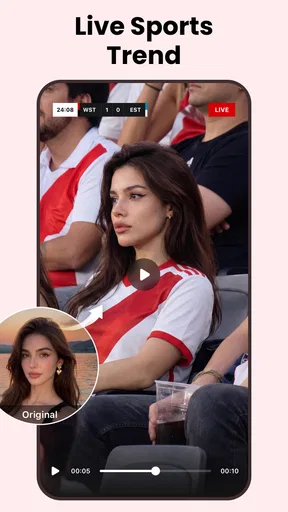
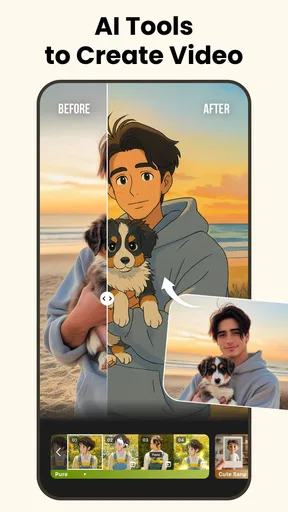
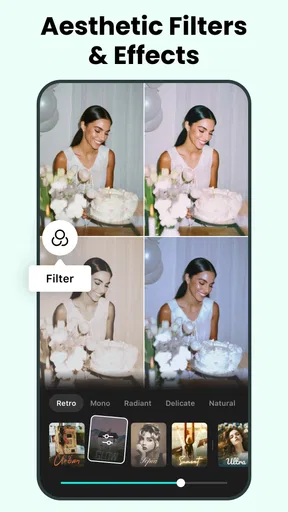
The app offers a plethora of filters and effects that can give your videos a professional touch. Think of it as having your own library of Hollywood-style effects at your fingertips. The speed adjustment tool is another highlight for me; it’s perfect for creating dramatic slow-motion shots or fast-paced action sequences.
Music and Soundtrack Options
What’s a great video without the perfect soundtrack? With inMelo, you have access to a vast library of royalty-free music and sound effects. You can easily search for tracks that match the mood you’re going for, whether it’s something upbeat for a travel vlog or a more serene melody for a nature clip.
Adding music to your videos is straightforward. Just select the track, adjust the timing, and voilà! You’ve got yourself a video ready to make some noise on social media platforms.
Customizable Templates
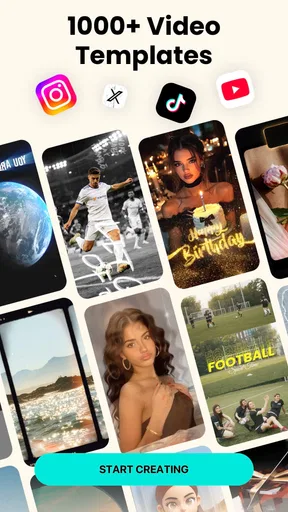
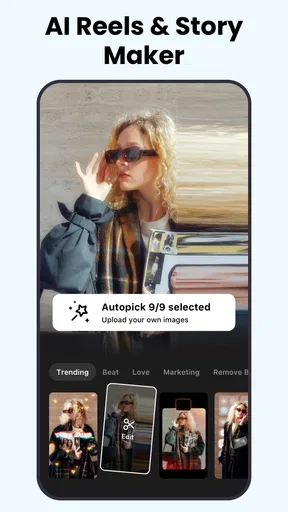
If you’re someone who prefers to start with a template, inMelo has got you covered. The app offers a variety of customizable templates that suit different themes, from birthday celebrations to business promotions. These templates are designed to save you time while giving your videos a polished appearance.
I experimented with a few templates, and I was impressed by how easy it was to replace placeholders with my own content. Plus, the drag-and-drop functionality makes it a breeze to reposition elements and make the template your own.
Sharing Made Easy
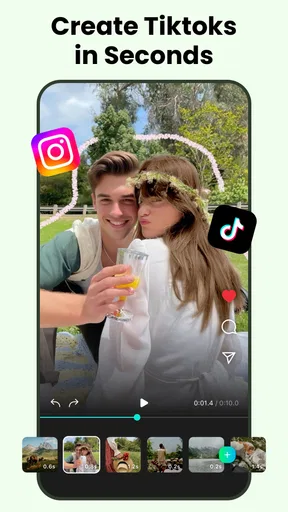
Once you’ve perfected your masterpiece, sharing it is just as simple. inMelo offers direct sharing options to popular social media platforms like Instagram, Facebook, and TikTok. This integration means you can get your content out there in just a few taps.
The app also supports high-definition exports, ensuring that your videos maintain their quality when viewed on different devices. I found this feature particularly useful when showcasing my work on larger screens.
Who will get the most from it
That combination of guided editing and quick sharing makes the app especially appealing to people who post occasionally rather than produce a steady stream of highly controlled content. A student making a club-event recap, a parent assembling a family montage, or a local shop preparing a simple seasonal post can all benefit from having a template-led route into editing. The shared advantage is that the work begins with arranging personal material, not learning a large set of controls.
It is also useful when the source material is mixed: a few photos, a couple of short clips, and perhaps one standout moment that deserves more attention. I would select only the images that contribute something distinct, then use speed changes sparingly to make one moment feel different from the rest. If every clip is slowed down or heavily treated, the effect stops feeling deliberate and the sequence loses its natural rhythm.
Small choices that improve the result
One easy mistake with music-led edits is choosing a track first and then forcing unrelated images to fit it. I get a more coherent result by deciding on the emotional tone, selecting the strongest footage, and only then testing music that supports the sequence. Since the soundtrack and timing are part of the appeal, a quick preview with the sound on—and another with it muted—can reveal whether the images still make sense on their own.
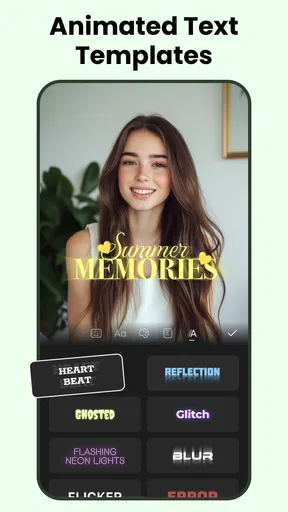
For text-heavy posts, I would keep the wording short and give each message enough visual breathing room. Effects and transitions can draw attention, but they can also compete with a date, location, or call to action. A useful final check is to watch the video once without pausing and ask whether I can understand its point at normal viewing speed. If not, simplifying the edit is often better than adding another effect.
What to check before sharing
Although direct sharing is convenient, I prefer to review the exported video before posting it publicly. That extra step lets me catch an awkward crop, a transition that lands at the wrong moment, or a text element that is hard to read on a phone. For a personal post, a minor imperfection may not matter; for a business announcement, checking the final file is worth the extra moment.
The app is free and rated for Everyone, which makes it accessible to a broad range of users, though purchases inside the app are a separate consideration. Its average rating is 4.8 from around 136,000 ratings, and it has been installed over 10 million times. The developer is Music Video Editor with Effects & Slideshow. It was released on March 11, 2022, and version 1.432.141 supports Android 8.0 and later. Those details make it easy to identify the Android app, but I would still check device compatibility and purchase choices before building a regular workflow around it.
A useful tool, not a substitute for every editor
InMelo belongs to the video players and editors space, but its strongest role is as a convenient creation tool for social-friendly clips, not as a replacement for every kind of production software. Against a basic phone editor, it offers a more guided path through templates, effects, and music. Against a full desktop or mobile suite, it gives up some fine-grained control in exchange for a lighter starting experience. That distinction matters more than a feature checklist when deciding whether it fits a project.
The app has an average rating of 4.8 and around 1,200 written reviews, alongside over 10 million installs. I see that reach as a sign that it has found an audience for approachable video making, not a guarantee that every workflow will suit it. If I need a fast, polished social montage, I would be comfortable trying it; if the brief demands exact output specifications or detailed sound work, I would choose a more specialized editor instead.
Overall, Reels & Video Editor - inMelo is a fantastic app for anyone looking to enhance their video content without the steep learning curve. It combines user-friendly design with powerful features, making video editing accessible to everyone. Whether you’re a casual user wanting to spice up your social media posts or a content creator aiming for more polished videos, inMelo is definitely worth checking out.
Pros
- User-friendly interface for easy editing.
- Wide range of filters and effects.
- Supports multiple video formats.
- Fast rendering and export times.
- Regular updates with new features.
Cons
- Limited free features; in-app purchases required.
- Occasional glitches during editing.
- Ads can be intrusive at times.
- Some advanced tools lack depth.
- Requires significant storage space.
FAQs for AI Video Editor, Reels: inMelo
What features does Reels & Video Editor - inMelo offer?
Reels & Video Editor - inMelo provides a comprehensive suite of editing tools that include cutting, merging, and trimming videos. Users can add music, apply filters, and use transition effects to create engaging content. The app also supports text overlays and stickers, allowing for personalized and creative video projects.
Is Reels & Video Editor - inMelo free to use?
Yes, Reels & Video Editor - inMelo offers a free version with essential editing features. However, it also provides a premium subscription option that unlocks additional tools, effects, and removes ads. The premium version is ideal for users seeking more advanced editing capabilities without interruptions.
Does inMelo support high-resolution video exports?
Absolutely! inMelo supports exporting videos in various resolutions, including high-definition formats. This ensures that your edited videos maintain quality and clarity, making them suitable for sharing on social media platforms like Instagram, TikTok, and YouTube, where visual quality is crucial.
Can I use my own music with inMelo?
Yes, inMelo allows you to import your own music tracks to enhance your videos. Additionally, the app provides a library of royalty-free music, which is perfect for users who want to add a professional touch to their videos without worrying about copyright issues.
Is Reels & Video Editor - inMelo user-friendly for beginners?
Reels & Video Editor - inMelo is designed with an intuitive interface that is user-friendly, making it accessible for beginners. The app provides tutorials and tips to help new users navigate its features effectively. Its straightforward design ensures that even those without prior editing experience can create professional-looking videos.


